Priority DM
Connect directly to discuss UX, AI, product strategy, and what's next.
DM NowRetail inMotion's order management ran on a legacy desktop application used across 90+ supply bases for Lufthansa Group's onboard retail. I rebuilt it as a web module on an entirely new information architecture, and contributed to the design system the wider platform is built on.
Project
Vector In-flight
Enterprise Management
Client
Lufthansa Group | Retail inMotion
Industry
Aviation | Supply Chain
Product Type
B2B | Enterprise
Platform
Web Application
My Role
Sr. Product Designer
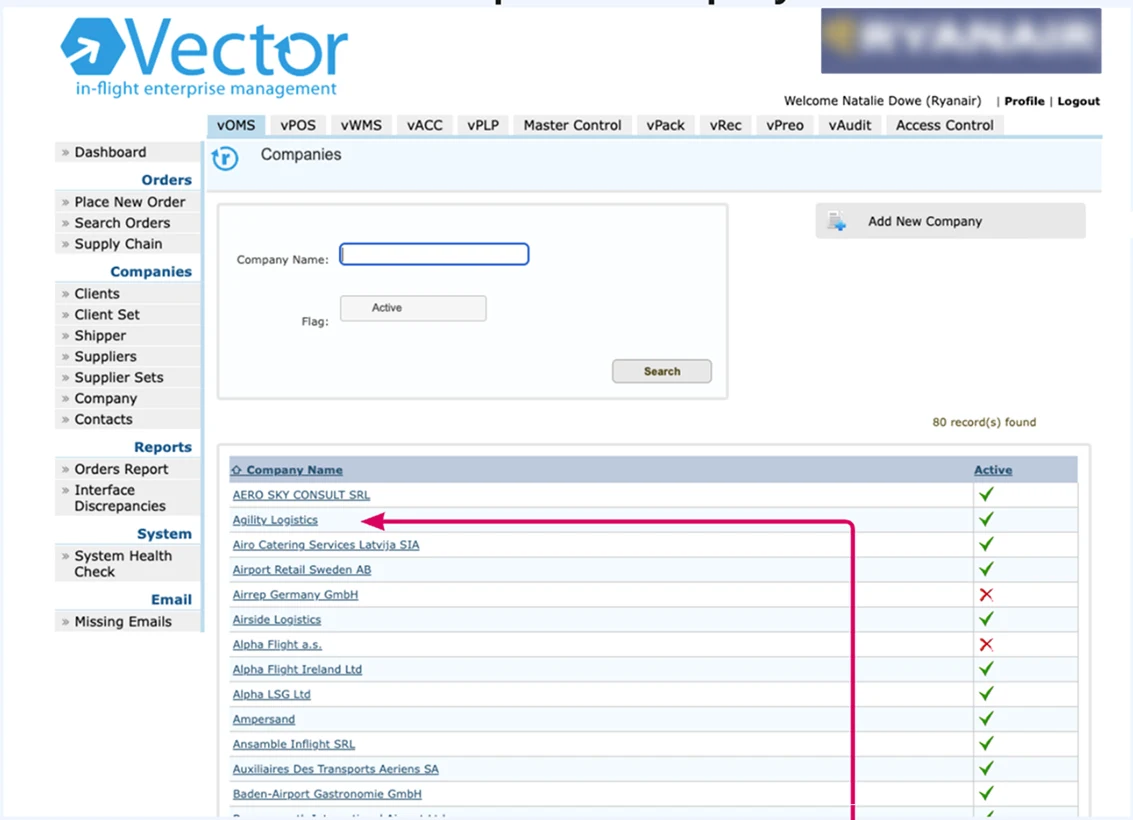 Legacy
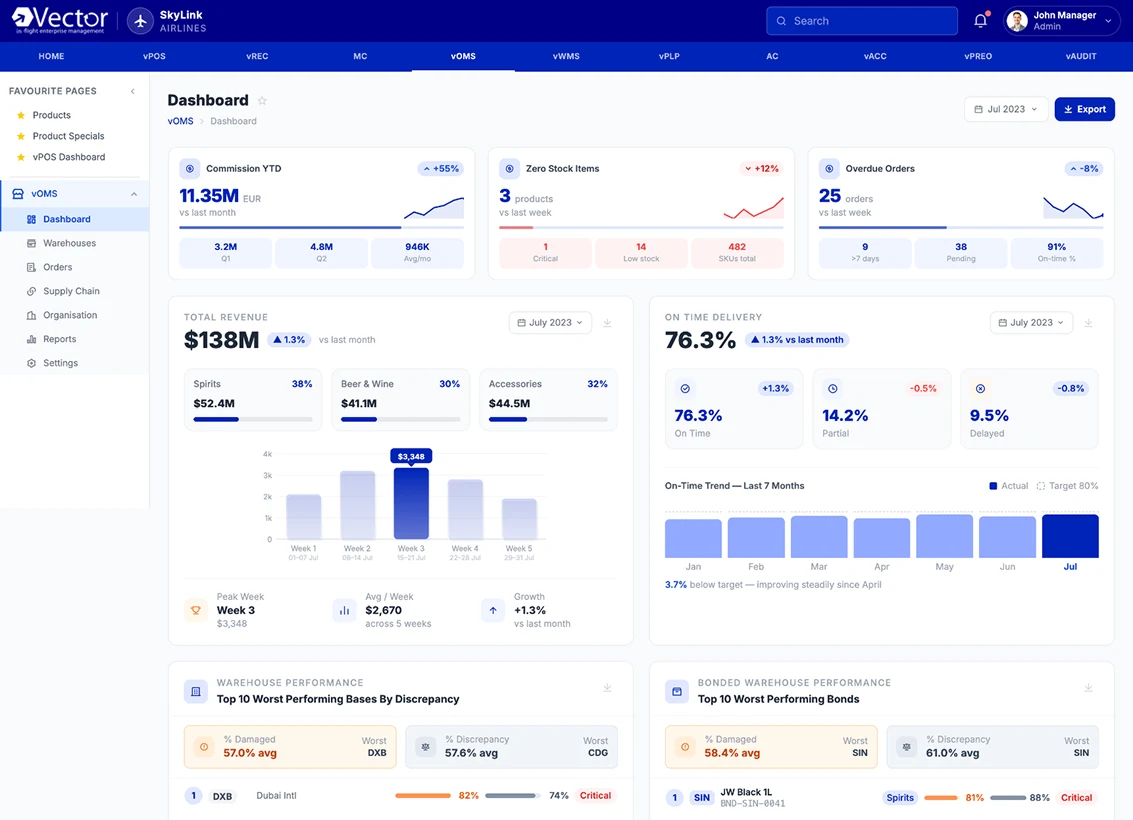 Newly Rebuilt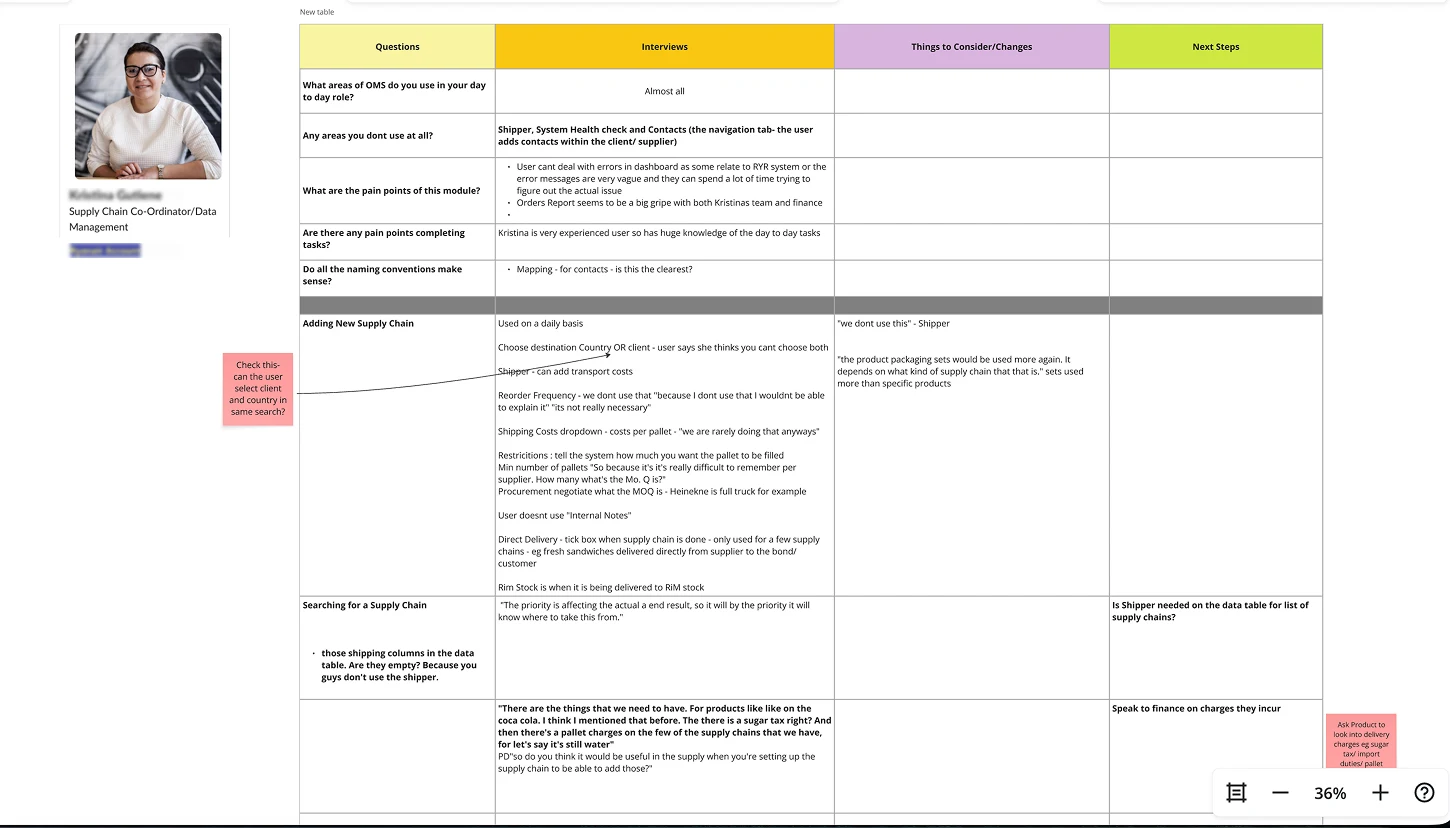
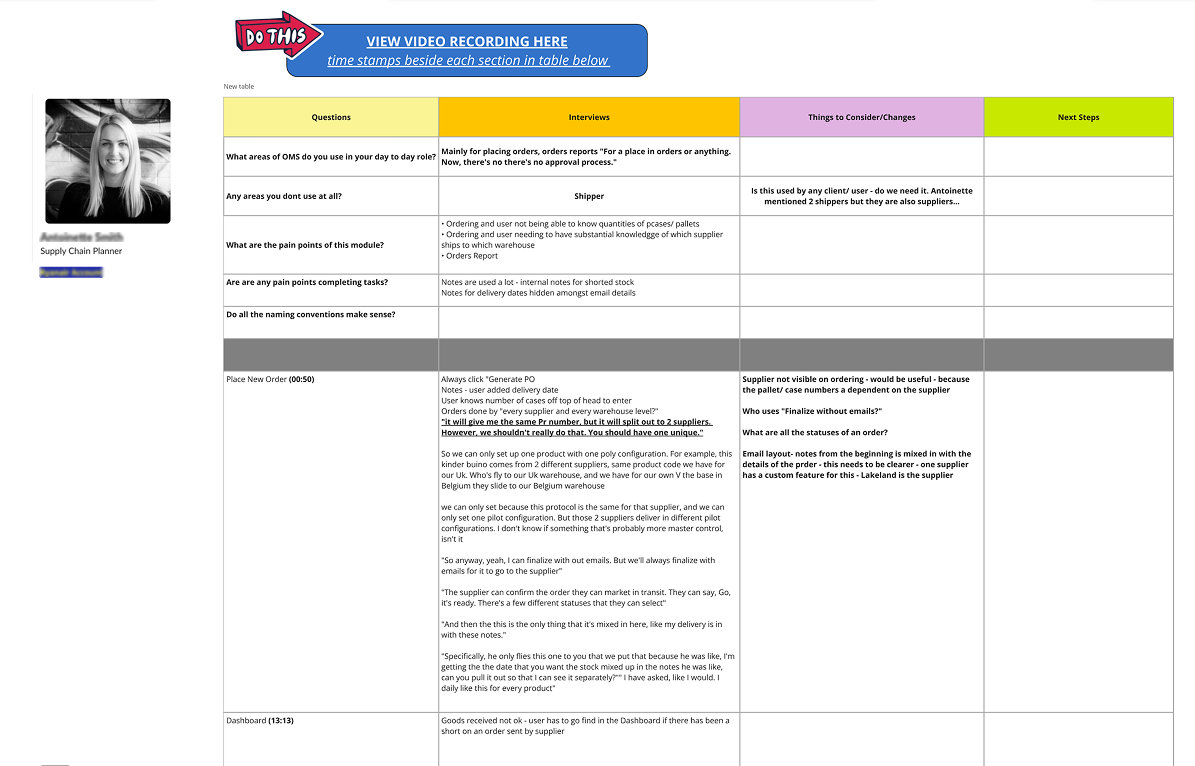
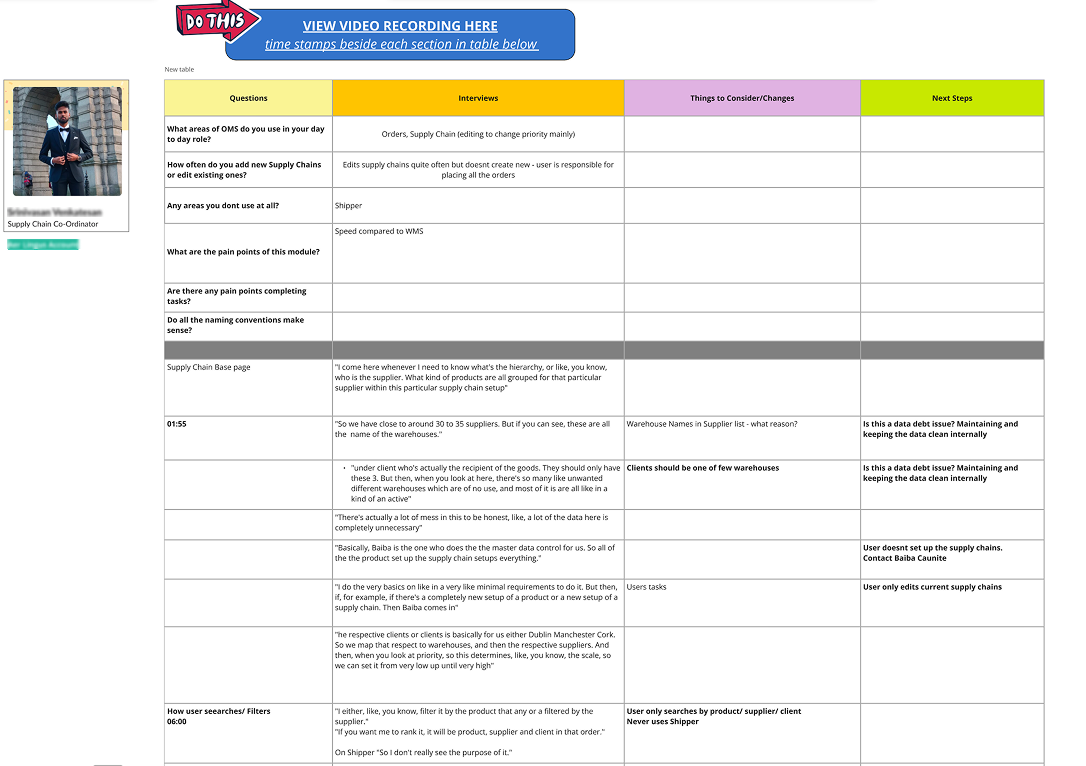
Each decision in the vOMS redesign was rooted in a specific failure of the legacy system. These four moves formed the backbone of the new experience.
Legacy vOMS had flat navigation with no logical grouping — users had to memorise where everything lived.
Rebuilt IA around warehouse workflows: Receiving → Storage → Dispatch → Reconciliation. Contextual sidebars, not deep menus.
Users could locate any function without training. Onboarding time reduced significantly.
Stock data was updated manually at shift-end. Ops decisions were made on stale information.
Designed a live stock dashboard with per-base views, colour-coded stock health, and alert thresholds for critical items.
Ops teams gained a real-time picture of stock levels across all 90+ supply bases for the first time.
Core tasks like receiving stock or dispatching to aircraft required 8–12 steps through fragmented legacy screens.
Redesigned flows end-to-end: smart defaults, step-by-step guided tasks, inline validation, and confirmation gates before irreversible actions.
Key warehouse workflows reduced from 8+ steps to 3–4, with significantly fewer input errors.
The legacy system had no traceable log of who changed what or when — a compliance and accountability risk.
Built audit log into every stock action. Introduced anomaly flags for quantities that deviated from expected ranges.
Full traceability across all warehouse operations. Fewer manual cross-checks and finance reconciliation mismatches.
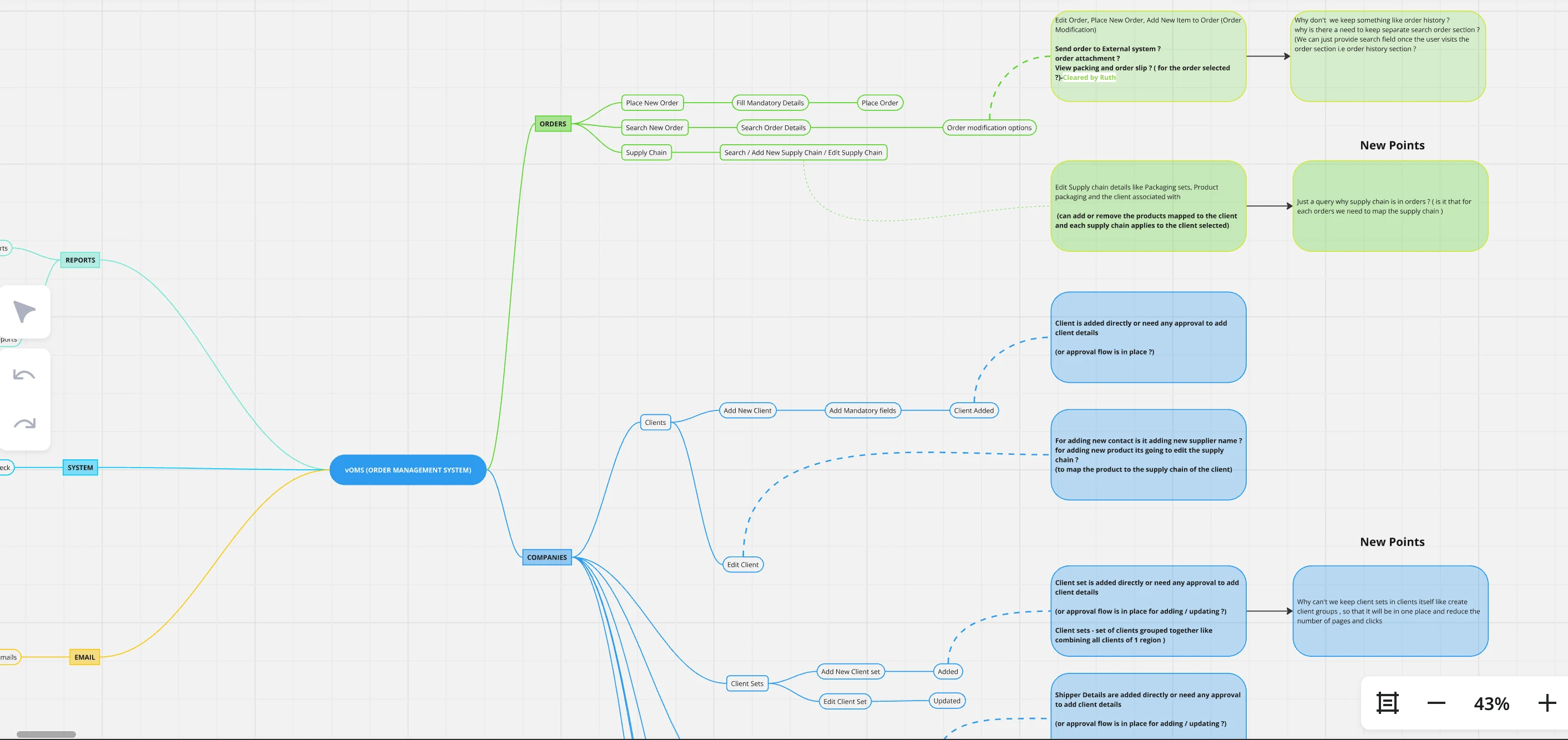
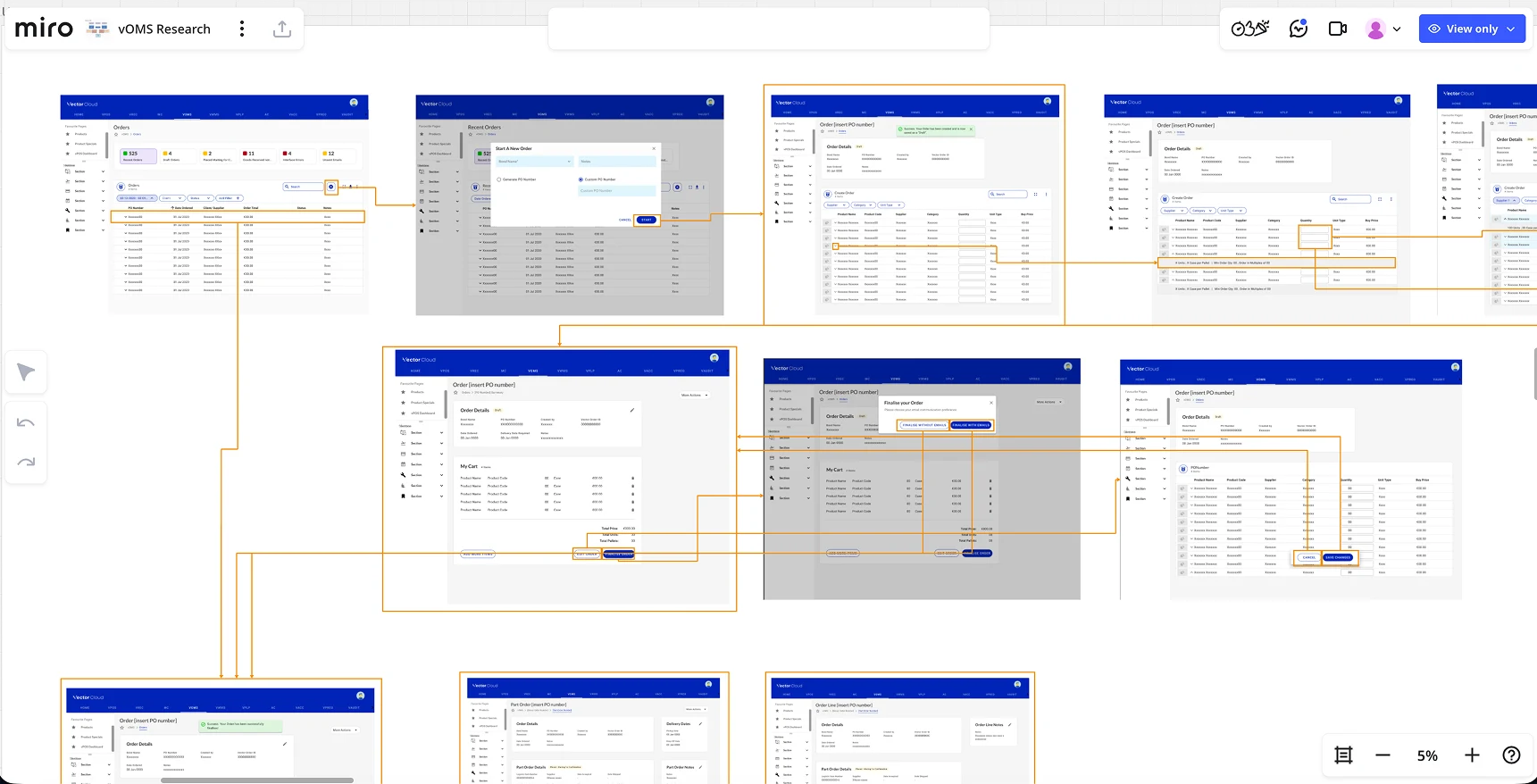
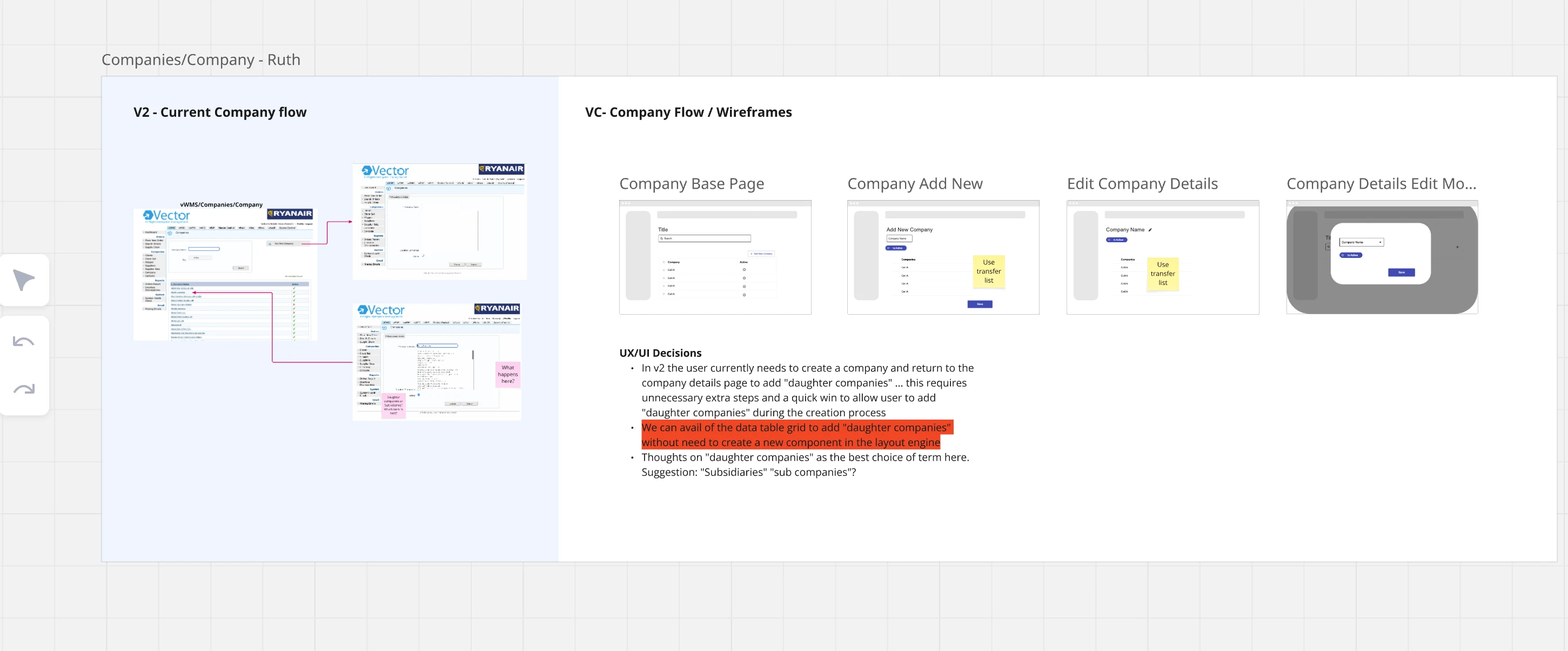
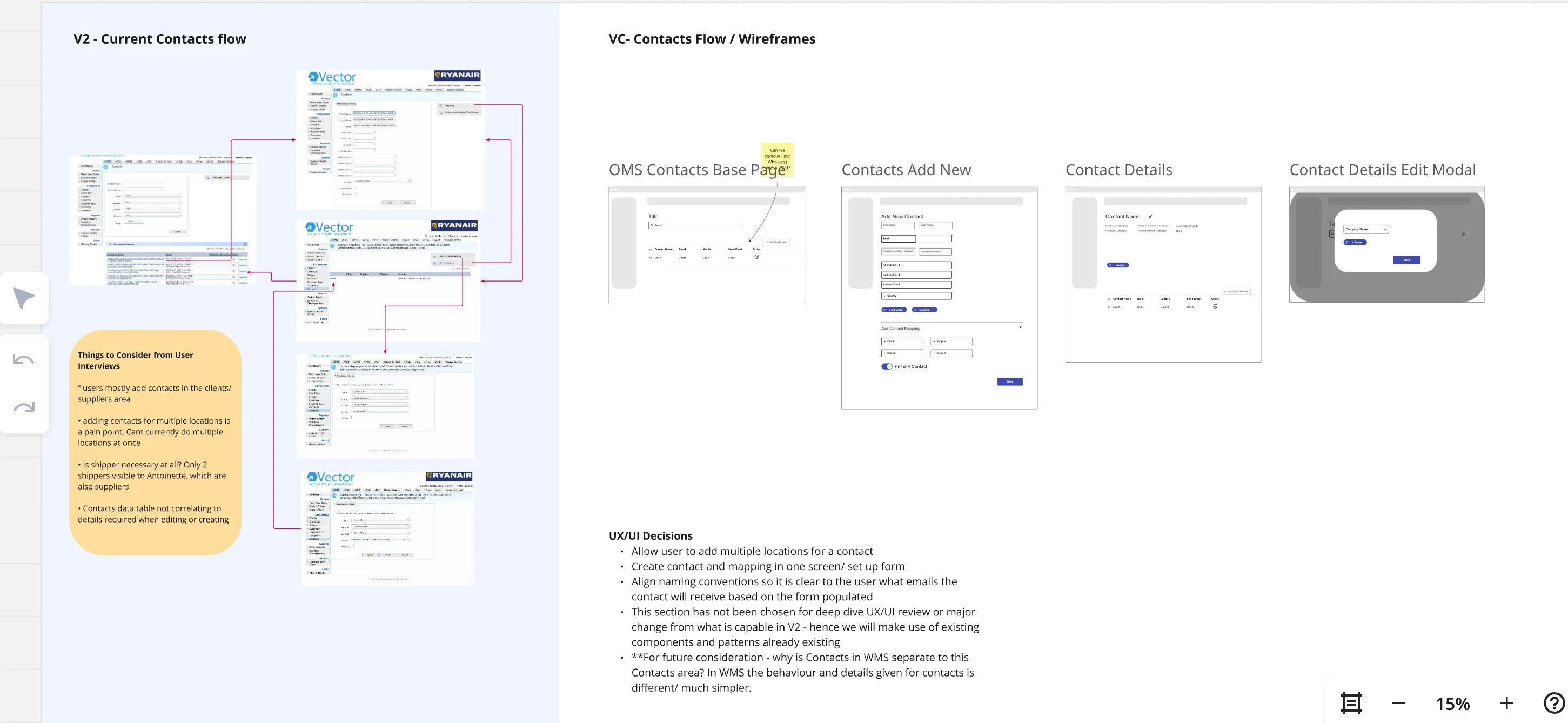
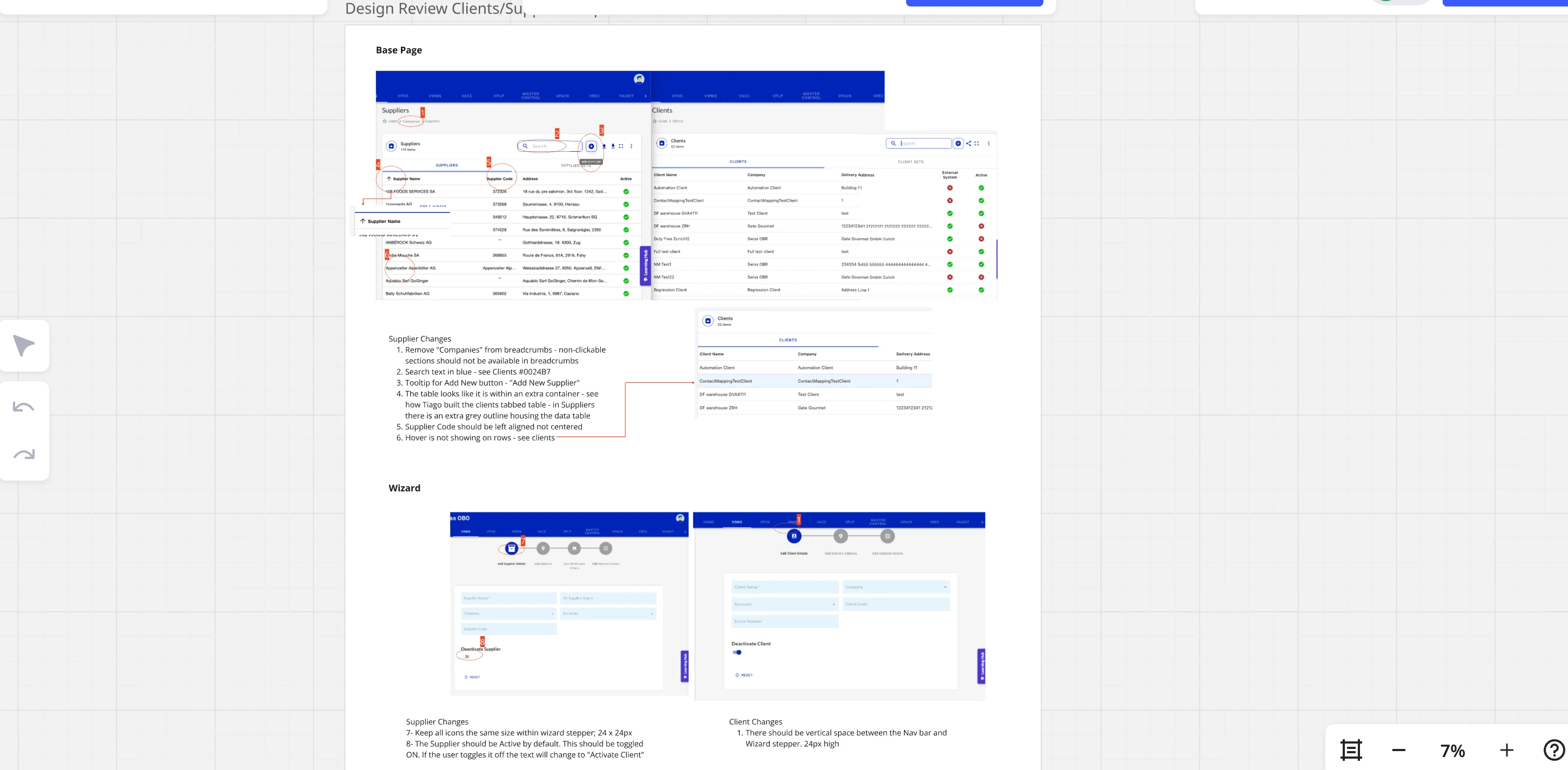
My design work was scoped to the vOMS module. I adopted components from the full platform design system to keep vOMS consistent with the wider product. New components created for vOMS were merged back into the shared design system for reuse across the platform. This walkthrough shows the full system that supported that work, not a system I designed entirely myself.
Key screens from the vOMS redesign — stock visibility, warehouse flows, receiving, dispatch, and the before/after of the legacy transformation.
Due to NDA limitations, the final production screens cannot be shared. The following designs are near-final representations, with branding elements modified. However, the complete vOMS flow, structure, and UX decisions reflect the actual implemented experience.
A task-oriented, role-scoped interface built for real warehouse workflows. Live data surfaces immediately, navigation is grouped by purpose, and users always know where they are — at any depth.
Workflow-grouped nav
Warehouses → Orders → Supply Chain
Role-scoped visibility
Admins vs ops staff — different views, same system
Real-time KPI dashboard
Live data on entry — no digging required
Persistent breadcrumb
Anchors users in deep flows at any depth
The legacy left nav was a flat, category-labelled link list that exposed every function regardless of context. The redesign replaced it with a task-oriented, role-aware sidebar — surfacing what users need when they need it, and hiding what they don't.
Icons + labels remove the need for users to memorise menu locations — matching Nielsen's heuristic for reducing memory load.
Only relevant nav items are shown per role and context. Advanced options are accessible but not prominent for non-admin users.
Active section is always visually anchored in the left rail. Users at any depth know where they are — reducing disorientation.
These near-production previews illustrate the vOMS experience. Final production screens are under NDA and are not shown here.
Find, assess, and act on operational reports without leaving the reporting workspace.
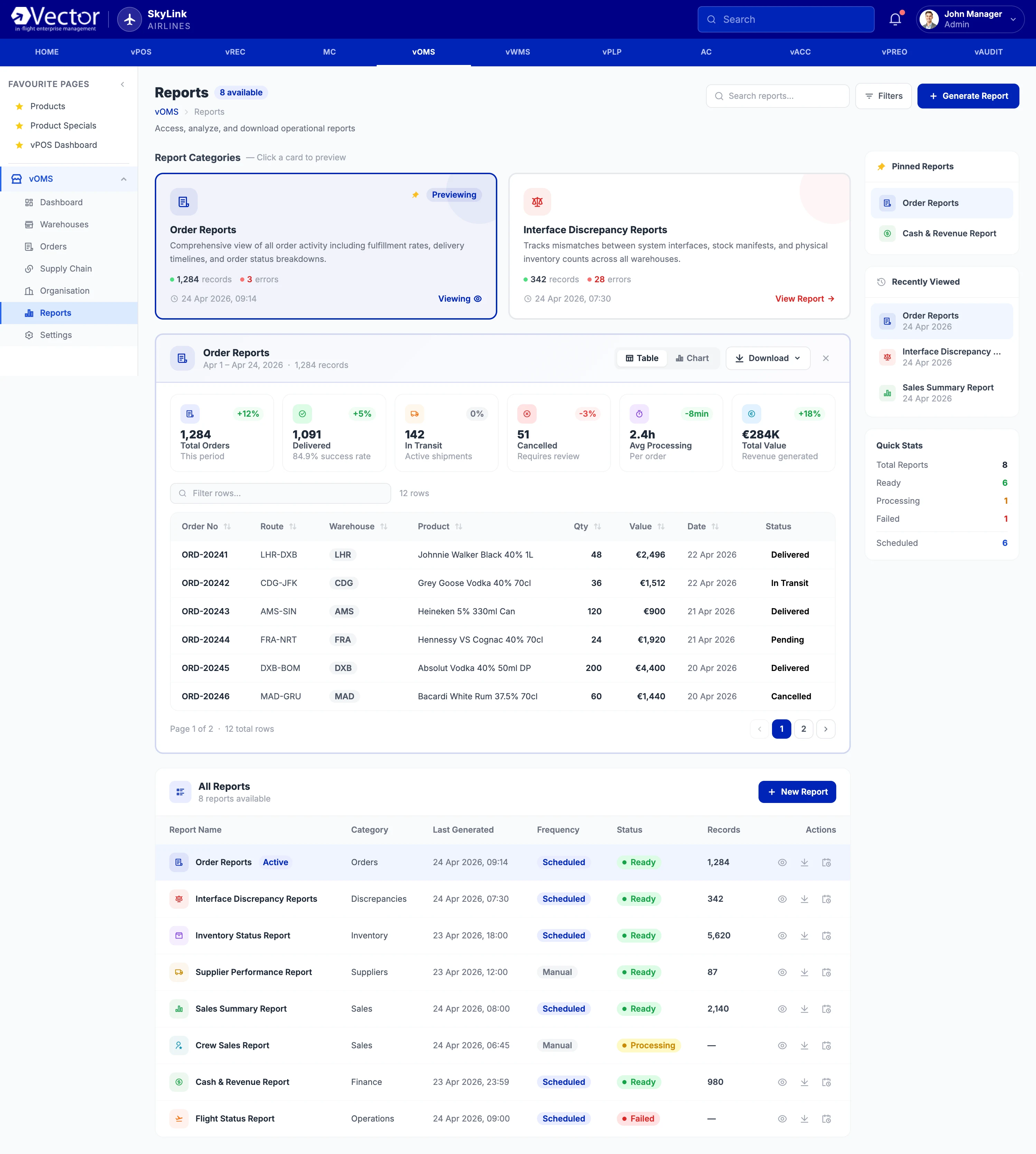
The inline preview removes repeated page loads and spreadsheet detours while preserving report context, filters, and recency — important when teams monitor multiple bases during one shift.
Persistent labels, explicit action names, and text-based status values reduce dependence on icon recognition. The interaction model supports a logical card-to-preview focus sequence rather than a visual-only state change.
Supply bases on vOMS
Vector modules overseen
Aircraft in ecosystem
Legacy redesigned to modern
Enterprise users
Measurement basis: Metrics are sourced from client operational reports, deployment records, and product analytics, using pre/post baselines where available.
Continue exploring
Browse more product design work across complex systems, emerging technology, and high-impact experiences.
I’m a Product Design Manager and Consultant open to complex products, strategic challenges, and high-impact collaborations. Whether you have a project, idea, or just want to say hello — I’d love to connect.
Built on real problems, not just pixels.

Connect directly to discuss UX, AI, product strategy, and what's next.
DM NowShoot me an email. I read every one, yes even the memes.
Follow or connect. Let’s turn conversations into collaboration.